PSS FIELD KIT
Features

Your whole shot, in your pocket

From preparation at home to the firing line: calculations, conditions, targets, maps and printable tables. Built on one idea: a shooter who knows what they are doing, even when the phone dies.

Interactive chartsiPhone and iPadItalian and EnglishWorks offlineNo accountData only on your phone
01

Firing solution

The correction to dial, in mil or MOA, calculated with the current conditions.
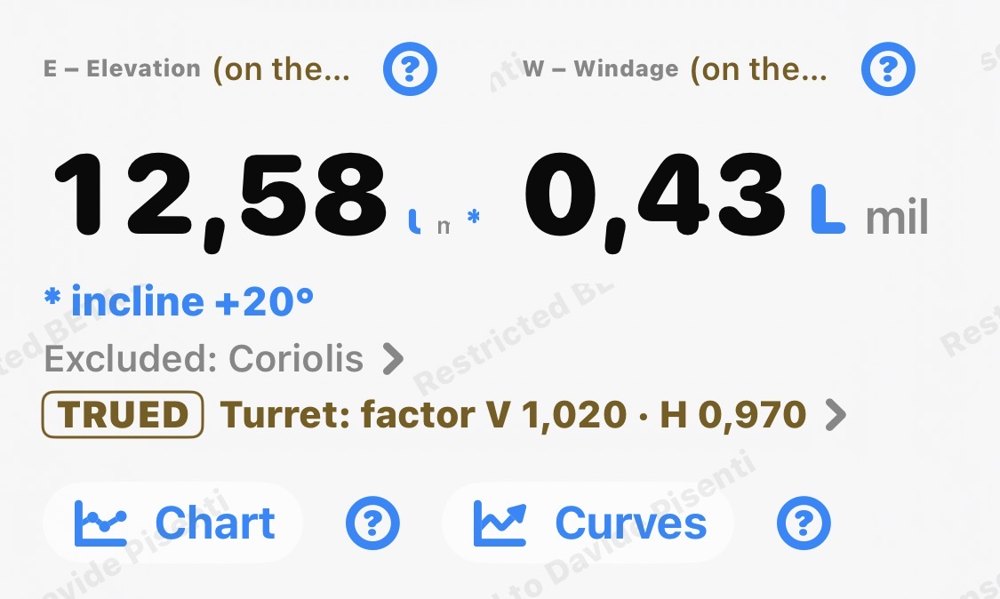
  • Elevation and windageVertical and horizontal correction ready for the turret, rounded to the click if you like.
  • Two winds side by sideWind 1 and wind 2, to see at once how much the correction changes. Wind from the front increases the elevation a little, wind from behind decreases it.
  • Moving targetLead with the follow and wait techniques.
  • Shooting angle (inclination)Uphill and downhill the full trajectory is calculated, with inclined gravity and air that changes with altitude. In the manual, the Rifleman's Rule and the Improved Rifleman's Rule compared.
  • Fine effectsSpin drift, aerodynamic jump and Coriolis, including the vertical component.
  • Time of flight and velocityVelocity and energy at the target, with a warning when the bullet enters the transonic zone.
  • Help on every fieldThe "?" button explains every input and every result, in Italian and English.
02

Conditions

Wind, air and position: enter them by hand or read them from the phone's sensors.
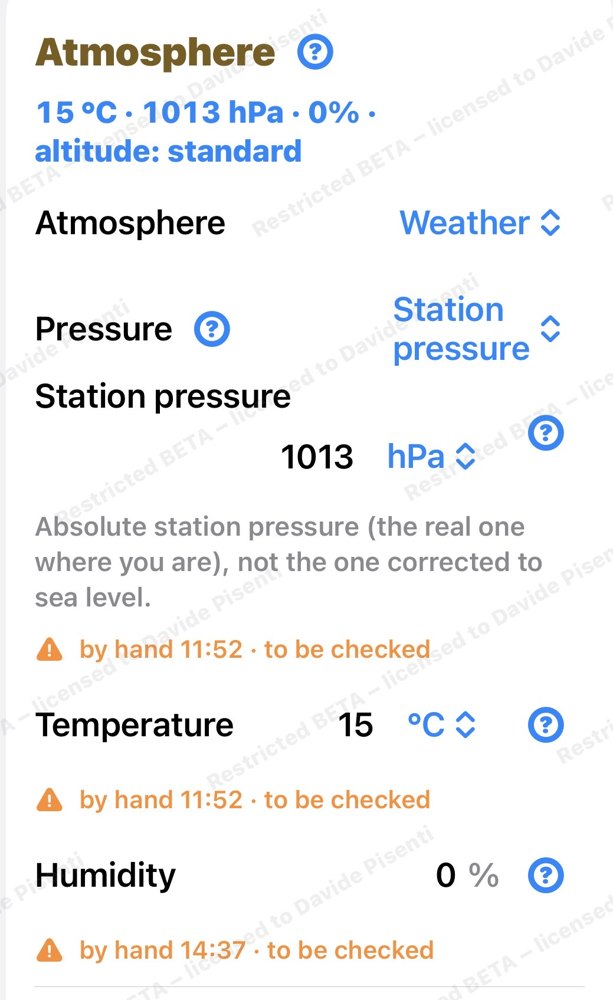
  • Wind roseDirection by clock position or in degrees, with gusts.
  • AtmospherePressure, temperature and humidity, or density altitude.
  • Phone barometerPressure read directly from the sensor.
  • Frame the targetUsing the camera, the app reads the shooting angle and the direction of fire. No photo is saved.
  • PositionLatitude from GPS for the Coriolis calculation.
03

Interactive charts

See the shot, not just the numbers. Place your finger on the chart, slide it, and read the values at any point of the trajectory.
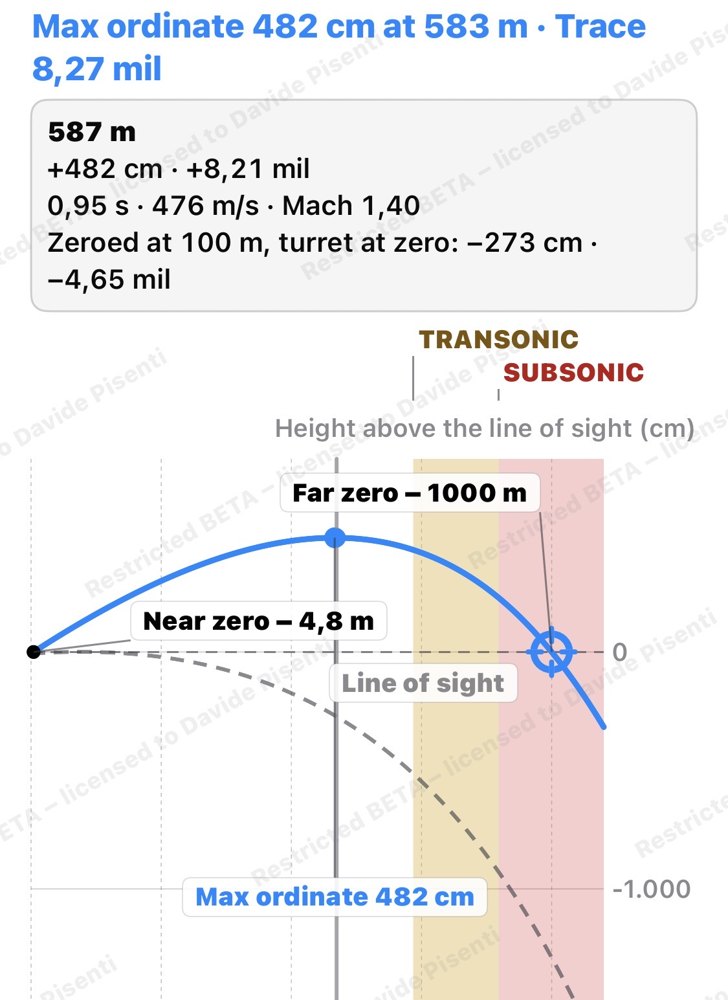
  • Cursor under your fingerSlide along the trajectory and read distance, height, drop, velocity and energy meter by meter.
  • Height above the line of sightThe curves show the path of the shot as you see it in the scope with the elevation dialed; for comparison, the 100 m zero with the turret at zero.
  • On iPad, next to the resultsThe chart sits below the firing solution: change an input and see at once how the shot changes.
  • Maximum ordinateHow high the bullet rises, and where, at a glance.
  • Near zero and far zeroThe two points where the trajectory crosses the line of sight.
  • Table below the chartThe same values in a table, with the step you choose, down to 1 meter.
  • ObstaclesUp to five obstacles between you and the target, drawn on the chart with the result for each: clear, marginal, impact.
  • PBR and range toleranceThese tools have their own chart too, to see the usable zone without doing the math.
  • Curves out to 4000 metersDrop, wind drift, velocity and energy, with the same cursor.
04

Stage and rifle card

The match or training stage, prepared in advance and taken to the field.
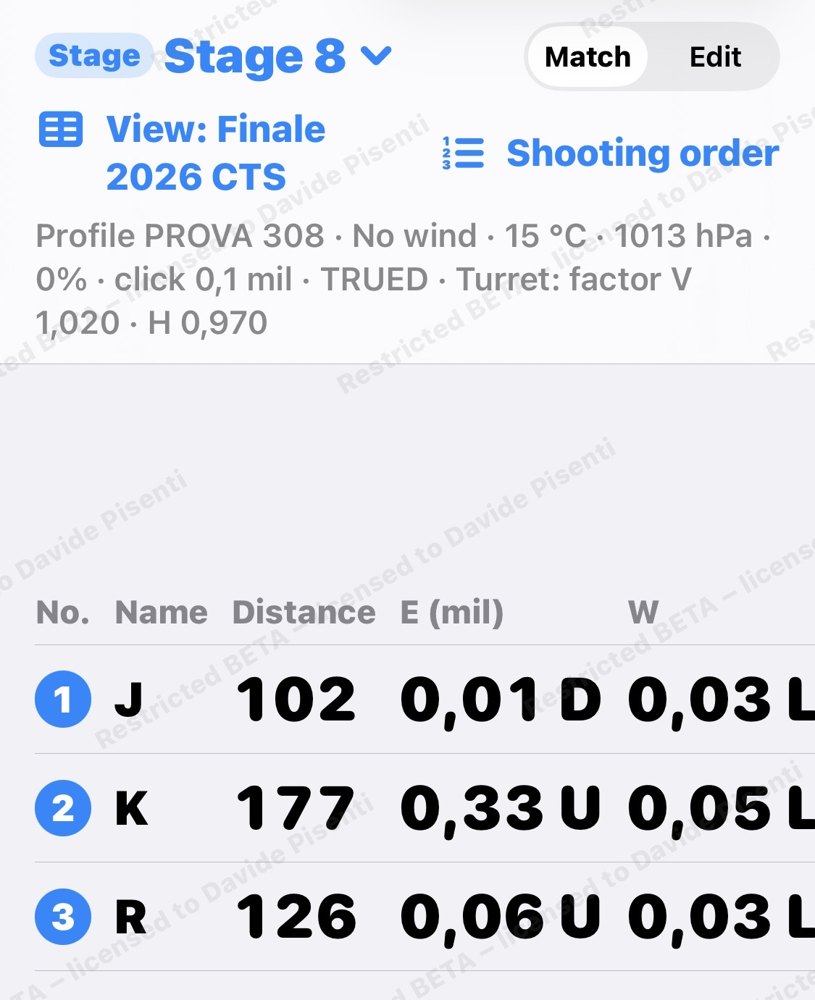
  • Up to 20 targetsDistance, size, shape and usable zone for each target.
  • Firing orderSequences and shooting positions, more than one if needed.
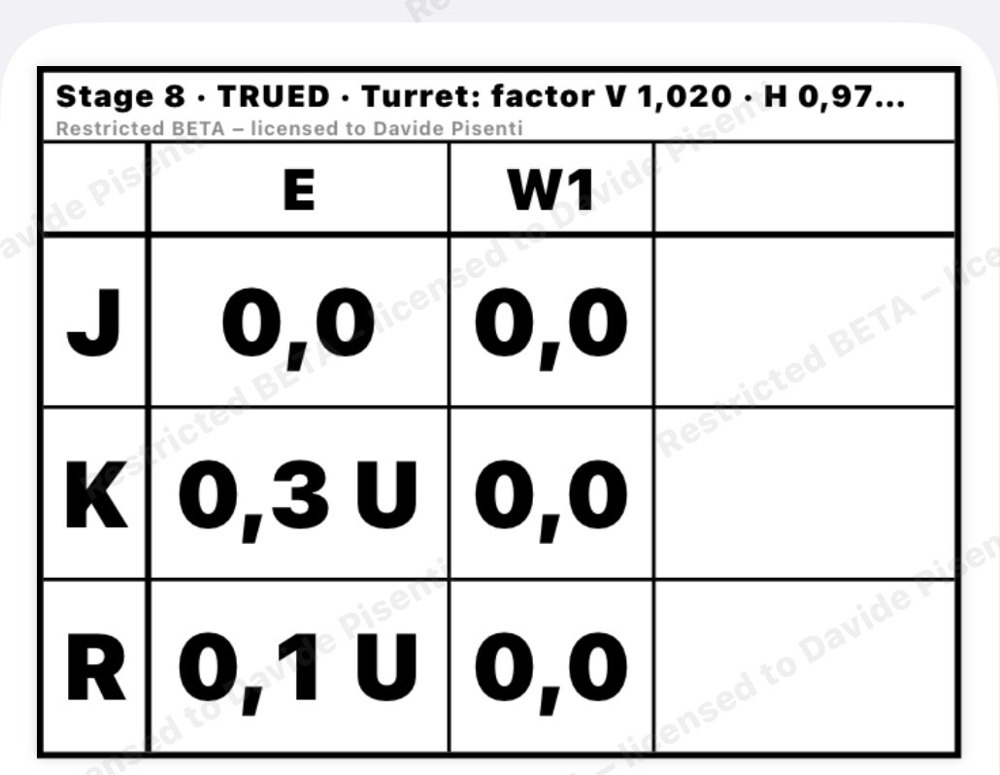
  • Rifle cardTo print and attach to the rifle, with the corrections ready.
  • Range CardThe stage sheet, to check in the field or print.
  • Shared as a fileThe sheet goes to your teammates as a file, even offline.
  • Frame every targetShooting angle and direction read with the camera, target by target.
  • Linked to the mapThe stage targets and the map targets stay in sync.
05

Map and coordinates

Positions, distances and directions on the ground.
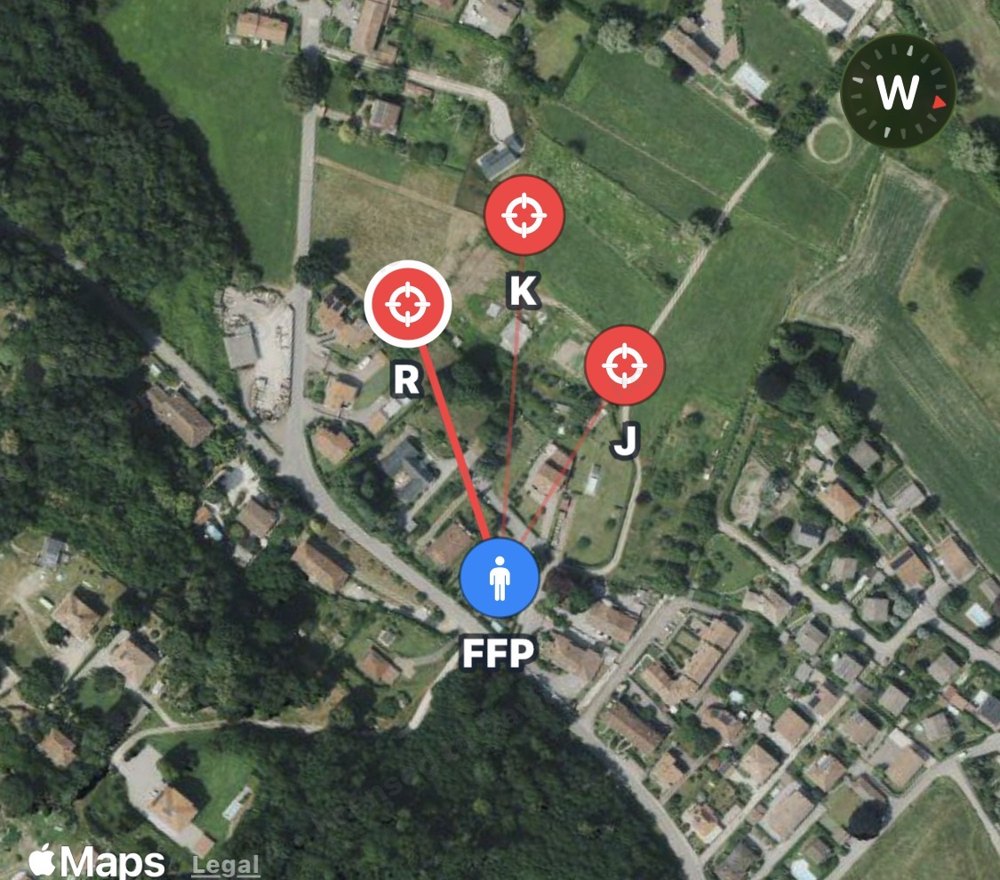
  • Firing point and targetsOn the map, with distance and direction calculated.
  • CoordinatesDegrees, UTM and MGRS.
  • NorthTrue, magnetic or grid, with declination.
  • Shooting sheetAs a PDF, ready to print.
  • Offline tooPoints, distances and directions are calculated without a connection.
  • Export to KMLThe points open in the main mapping programs.
  • Range ringsDistance rings around the firing point.
06

Profiles

Rifle, optic and ammunition: everything you need for an accurate calculation.
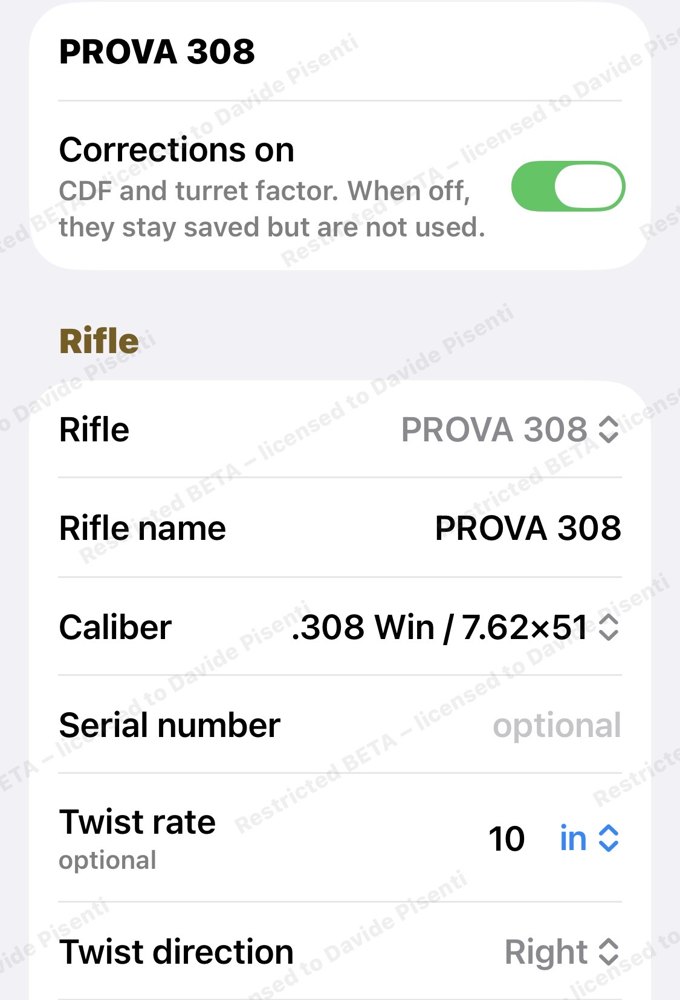
  • Profiles in foldersBy rifle, by ammunition, or however you prefer.
  • Bullet databaseData selected one by one, each with its source, and updated in new app versions as new data becomes available. For any other bullet, you enter the manufacturer's data.
  • Measured velocityFor each rifle and ammunition combination.
  • Turret factorWith the turret test, on the bench, the app knows how much your turret really moves and gives you the mil or clicks to dial.
  • Trajectory truing (CDF)With a real data point from the range the app corrects the drag curve where it matters, far out, without touching the short distances.
  • Corrections on and TRUEDCDF and turret factor are used only after Apply, can be switched off, and are marked TRUED on screens, tables and printouts.
  • Powder temperatureVelocity is corrected for powder temperature.
  • Export / ImportA backup copy of all your data, whenever you want.
07

Tools

Tools for the self-reliant shooter: a couple of numbers to remember and tables to keep in your pocket.
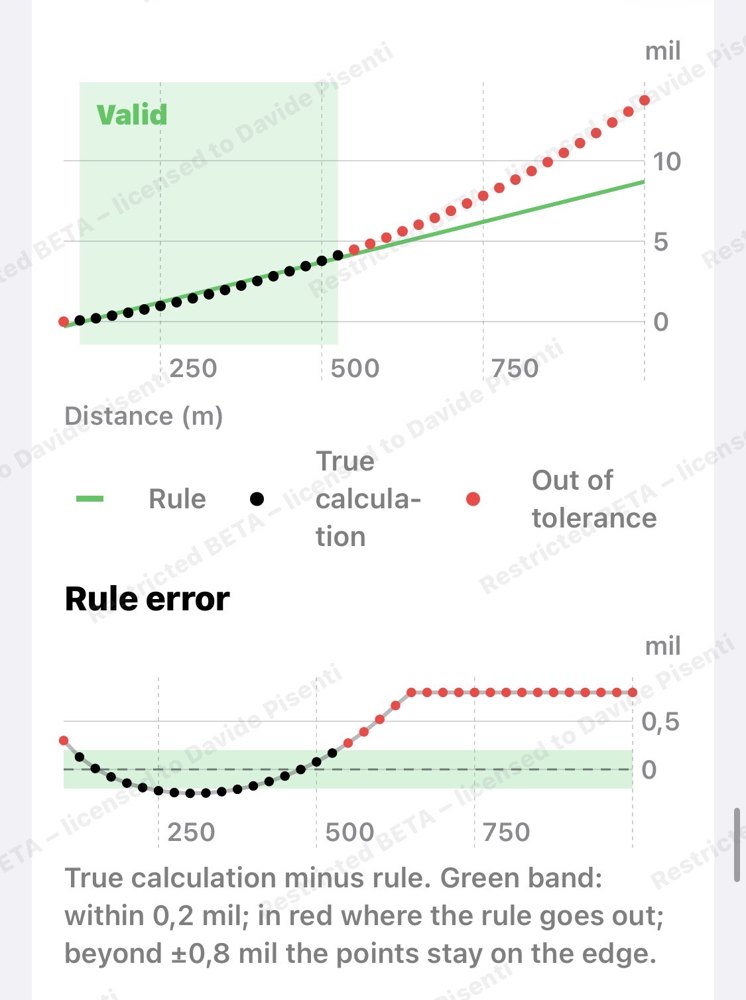
  • Range tableUp to 200 rows with the step you choose, level or with the inclination angle: the angle used is always written at the top, also in the PDF and Excel file.
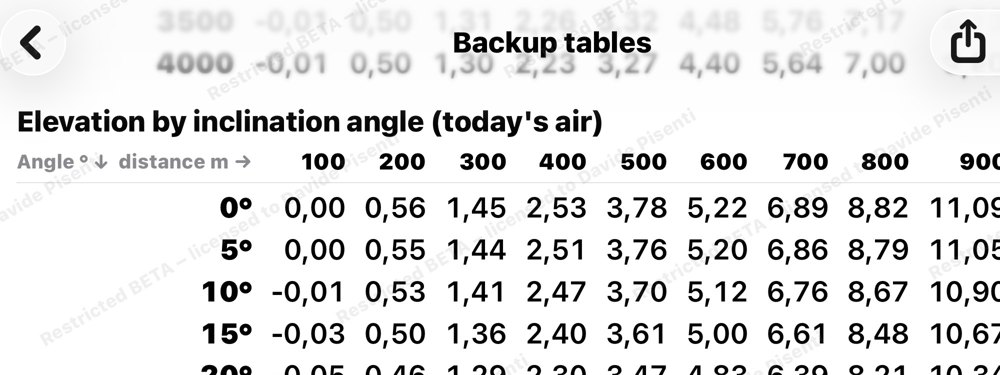
  • Backup tablesCorrections ready for different air conditions and shooting angles.
  • Speed Drop FactorA single number for drop, to use from memory.
  • Quick Wind FactorA single number for wind, to use from memory.
  • PBRThe zero that keeps the bullet in the usable zone for the longest distance.
  • Range toleranceHow far off your range estimate can be and still hit.
  • Wind zonesUp to three segments with different wind along the trajectory.
  • Wind toleranceHow far off your wind estimate can be and still hit.
  • Maximum ordinate and obstacleWhether the bullet passes over or under an obstacle, and by how much.
  • Quick reticle tableCorrections ready to read directly on the reticle.
  • Range estimationWith the reticle and the target size.
  • ConversionsMil, MOA, distances, velocities and units of measure.
08

Tables

Because paper never runs out of battery.
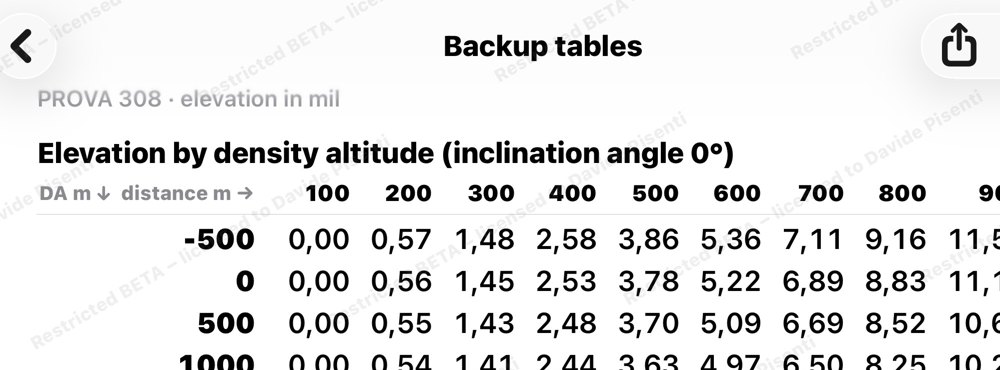
  • 17 printable tablesAs A4 PDFs, ready to take to the field.
  • ExcelWhere useful, for those who want to work with the numbers.
  • PNG imagesRifle card and sheets also as images, to keep on your phone or send to teammates.
  • Manual inside the appThe complete manual, with word search, always available even offline.

Your data stays yours

Profiles, sheets and conditions are stored only on your phone or iPad.

No account

No sign-up, no password to remember.

Offline

Calculations, tables and printing work even where your phone has no signal.

No ads

No ads and no data collection.

Coming soon to the App Store

For questions or information, write to us.

Write to us